 01
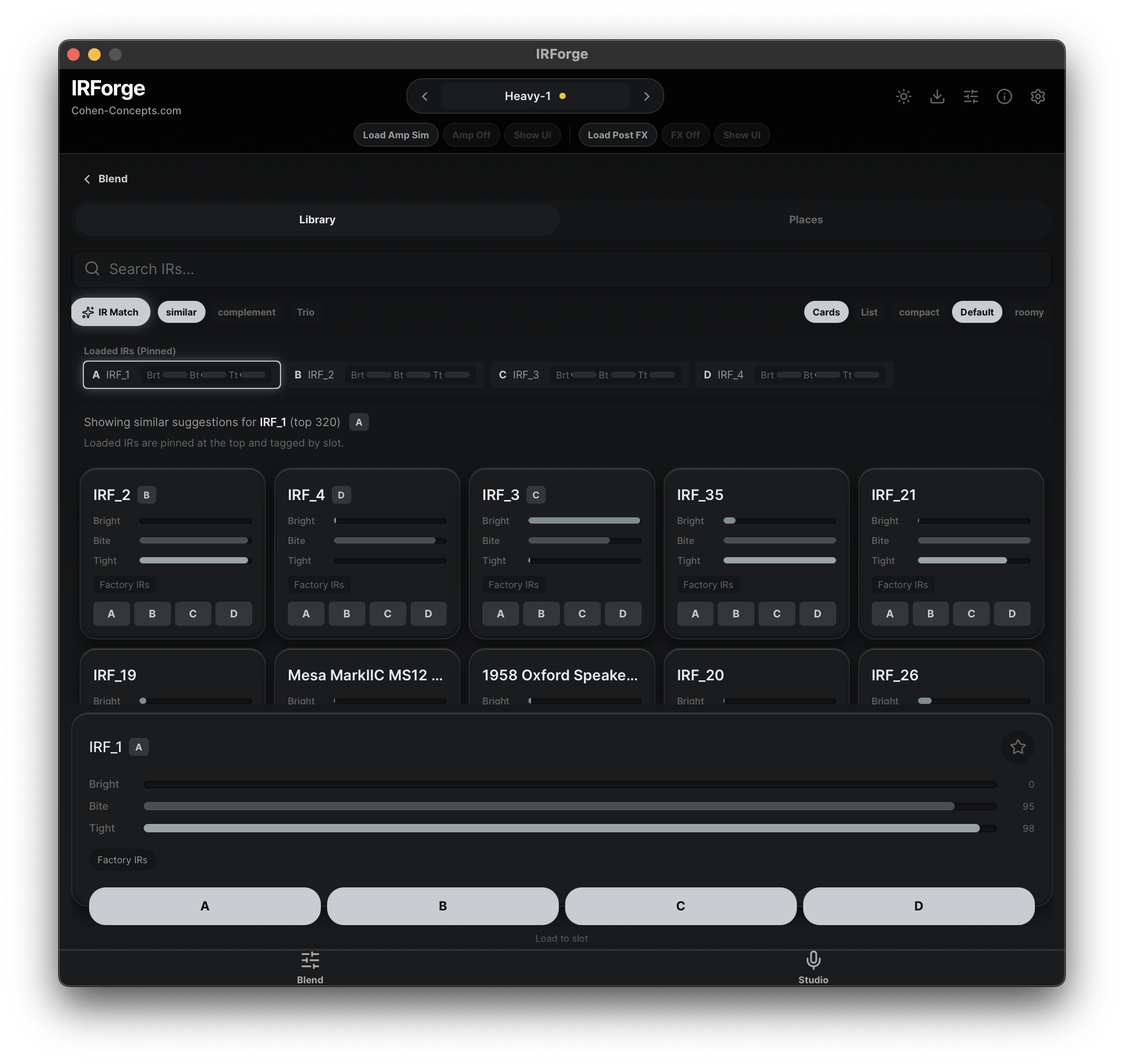
01Find IRs by sonic role
Search and compare by tonal behavior, not folder memory.
IR blending that moves like an instrument
Reshape multi-IR guitar tone in real time, keep level controlled while you move, find useful contrast faster, and export the result anywhere.
Overview
IRForge gives you a way to steer the tonal relationship between IRs instead of juggling a pile of tiny manual decisions.
It analyzes tonal contribution, keeps comparisons controlled, and gets you to stronger blends without filename archaeology or constant loudness correction.
Workflow
01Search and compare by tonal behavior, not folder memory.
 02
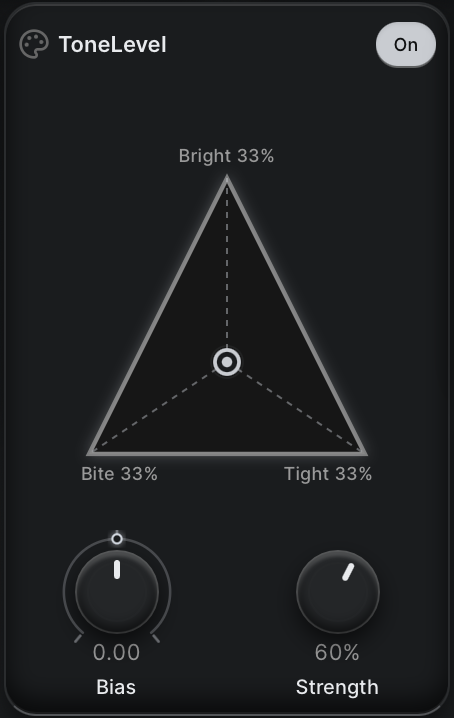
02Move between Bright, Bite, and Tight while level stays controlled.
 03
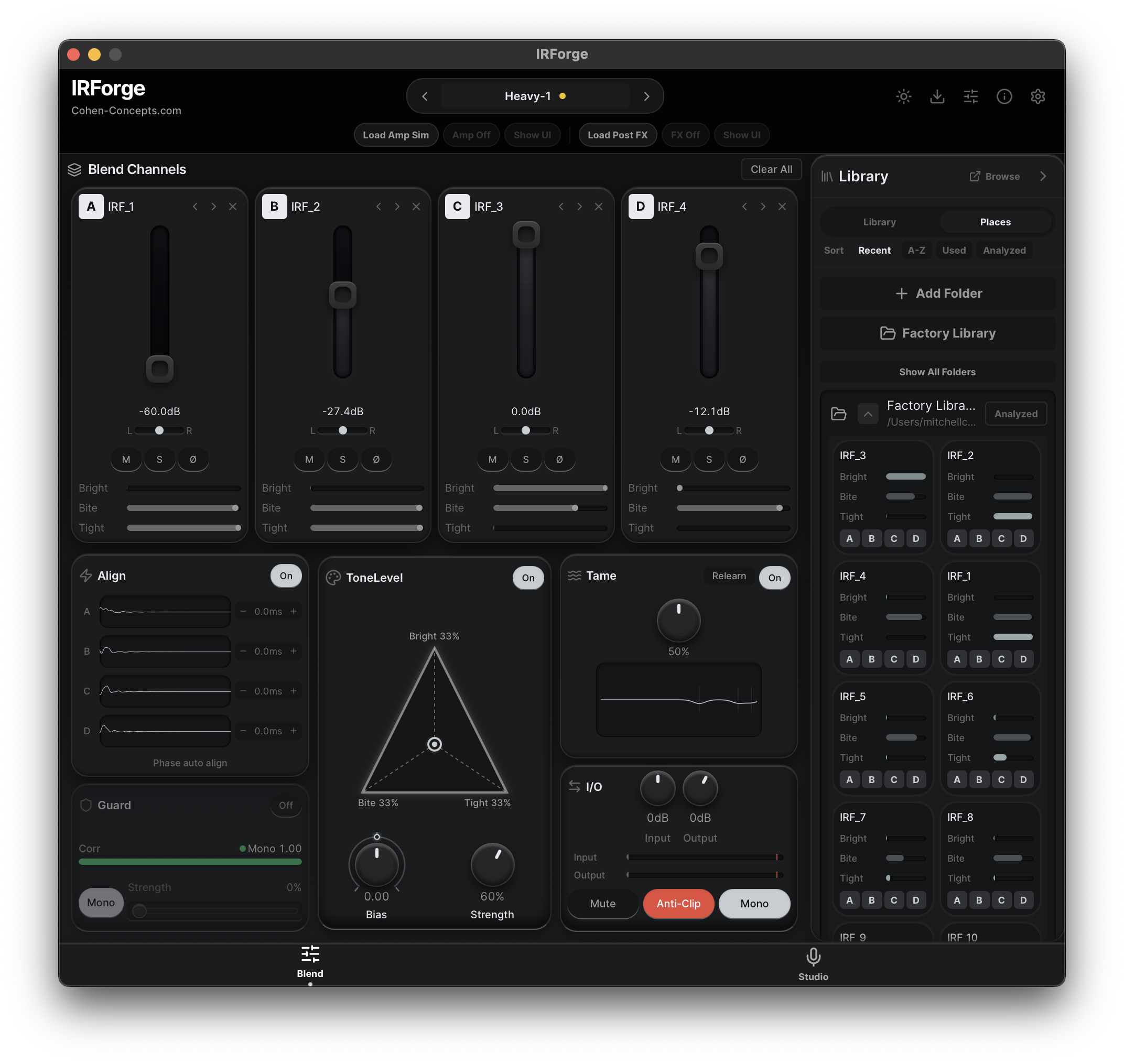
03Align, tame, guard, and balance up to four complementary IRs.
 04
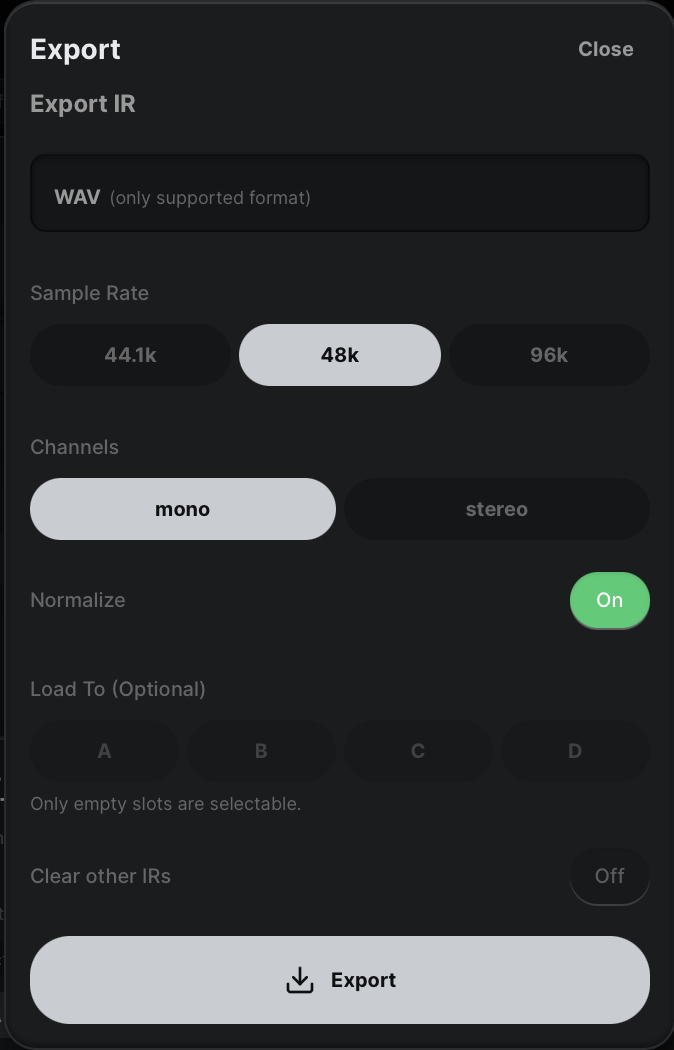
04Print the final blend as a portable IR for the rest of your rig.
Listen
ToneLevel lets timbre move while the comparison stays grounded. Scrub the waveform or jump between the labeled musical moments.
Editions
The complete four-channel mixing and tonal-shaping workspace.
Everything in Blend plus IR capture, profiling, and the full Studio workflow.
Visual proof
Compatibility
AAX and Windows are intentionally withheld until their retail signing and host validation gates pass.
Apple Silicon release. The final minimum macOS version is verified from the packaged build before release.
Two activations, offline lease support, and self-service license access.
Installation
The signed installer places IRForge in Applications and both standard system plug-in folders. Downloads appear only for active trials and paid accounts after the notarized release is published.
FAQ
IRForge becomes available only when its signed release is ready. Studio will have a 14-day account-bound trial; Blend will not.
No. Blend and Studio are planned as lifetime licenses attached to your Cohen Concepts account.
They will appear only after clean-host validation and required retail signing. We do not ship unverified formats.
Yes. IRForge is designed around loading, comparing, blending, organizing, and exporting your own impulse responses.
IRForge
Compare faster. Choose better. Export once.